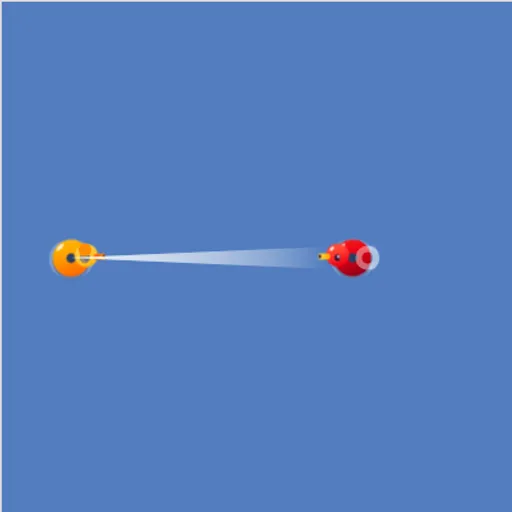
Block Code Duck Pond turns a pond battle into a coding lesson. Your orange rubber duck has a cannon, a scanner and a pair of webbed feet, but it only acts on the program you give it. Every rival duck is a new problem to solve. Since each problem shows up once in blocks and once in JavaScript, you get to see how visual code turns into real text code.
The Goal
Bring the rival duck’s health to zero. Health bars under the pond show how much each duck has left, yours included. The pond is 100 by 100 meters, and angles go counterclockwise from east.
How a Round Plays Out
There are ten levels, built as five pairs. In the first level of a pair, you drag blocks such as cannon, scan and swim into a stack. In the second, you type the same idea into a code editor with line numbers and colors.
Press Run Program and the battle plays out live. Win, and a message shows the JavaScript your program matches. Then OK takes you on. The five challenges are:
- Hit a target that sits still with one aimed shot.
- Keep firing inside a while loop at a duck that can take many hits.
- Track a duck that moves back and forth by using scan.
- Swim toward a rival that is out of cannon range.
- Swim partway, stop and shoot when your own duck is weak, then chase a duck that runs away when hit.
Keys and Buttons for Block Code Duck Pond
| What you do | ⌨ Keyboard | 🖱 Mouse | 👆 Touch |
|---|---|---|---|
| Build a program (block levels) | — | Drag blocks from the Pond and Math categories | Drag blocks with your finger |
| Write a program (JavaScript levels) | Type in the code editor | Click in the editor to place the cursor | — |
| Set an angle or a number | Type the number and press Enter | Click the value and type a new one | Tap the value |
| Run or reset the battle | — | Click Run Program, then Reset | Tap Run Program, then Reset |
| Look up the commands | — | Click Documentation | Tap Documentation |
Winning Strategies
- Sketch the angle. Before you aim, figure out roughly which way the rival is from your duck.
- Let scan set the range. Writing cannon(angle, scan(angle)) makes the shot land wherever the rival really is.
- Loop forever. A while (true) loop keeps the attack going until the rival goes down.
- Stop before you collide. Ramming another duck hurts you as well, so slow down near the target.
- Use the extra values. loc_x, loc_y, speed and health in the Documentation panel help with the harder battles.
Common Mistakes
- Typing degrees clockwise, so the shot heads the wrong way.
- Firing once without a loop and wondering why the rival survives.
- Swimming nonstop into the rival on the weak-duck level.
Who Should Play It
This is a good match for students and curious beginners who know a bit about blocks and want a bridge to typed code. It also suits fans of robot-programming puzzles and turn-based artillery games.
Played and checked by the KBHX Games team · updated