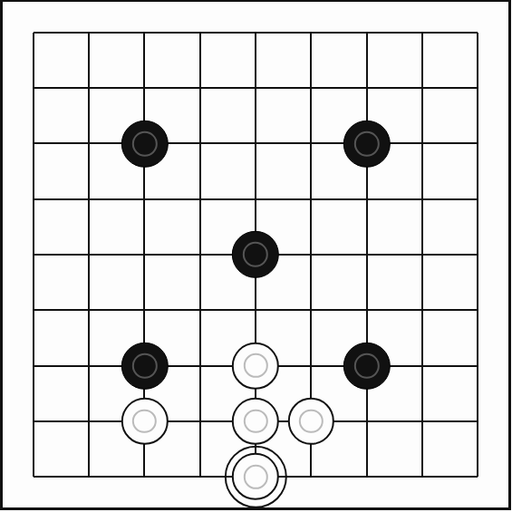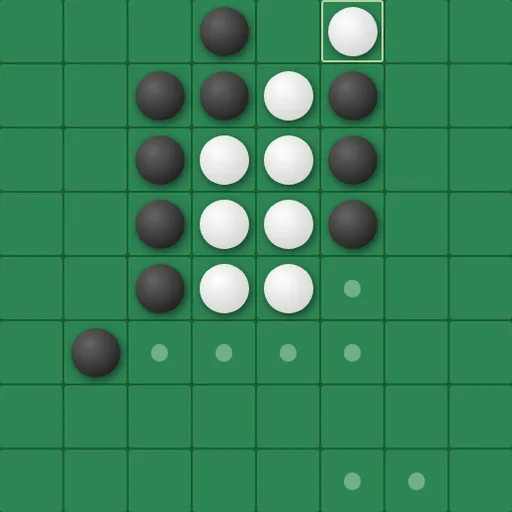
Universal Reversi is a disc-flipping strategy game played on a board that wraps around on every side. You place discs to trap your rival’s pieces in straight lines and turn them to your color. Because lines continue across the edges, the usual safe spots vanish, and you have to think in a new way. Norbert Nopper built it as a single web page.
The Goal
End the game with more discs of your color than your opponent. Equal counts mean a tie. By default you play Black against the computer on an 8x8 board, and Black moves first. You can also play a friend on the same device, let the computer take Black, or watch two computer players face off. Three board sizes are available.
Rules Explained
- Four discs start in the middle, two of each color placed diagonally.
- On your turn, place a disc so that one or more enemy discs lie in an unbroken line between it and another of your discs.
- Every trapped disc flips. Lines count in all eight directions, diagonals included.
- Lines can wrap across an edge and continue on the far side.
- Small dots mark legal moves. With no legal move, your turn is skipped.
- When neither side can move, the game ends and discs are counted.
Keys and Buttons for Universal Reversi
| What you do | ⌨ Keyboard | 🖱 Mouse | 👆 Touch |
|---|---|---|---|
| Place a disc | — | Click a cell marked with a dot | Tap a cell marked with a dot |
| Shift the view of the board | Arrow keys | Click the PAN arrow buttons | Tap the PAN arrow buttons |
| Start a new game and apply settings | — | Click "Reset Game" | Tap "Reset Game" |
| Change players, board size or difficulty | — | Use the Game Settings panel, then reset | Use the Game Settings panel, then reset |
Winning Strategies
- Drop the corner habit. On a wrapped board a corner disc can still be flanked through the far edges, so check every line.
- Pan to see wrapped lines. Use the arrow keys or PAN buttons to shift the view so a line crossing an edge sits in one piece.
- Value choices over count. Early on, having more legal moves than your rival matters more than holding more discs.
- Read the computer’s options. Move dots stay visible while it thinks, showing what it might play.
- Slow the AI to learn. Raise its response delay toward 2 seconds to follow each flip.
Common Mistakes
- Forgetting to press Reset Game after changing board size or difficulty.
- Grabbing many discs early and leaving yourself with few moves later.
Who Should Play It
Universal Reversi is for strategy players who already know classic disc-flipping and want a fresh puzzle. If you enjoy abstract board games or territory battles, the wraparound twist will keep you thinking.
Played and checked by the KBHX Games team · updated