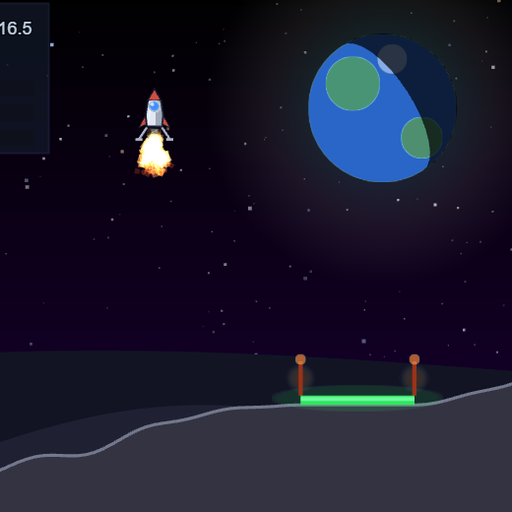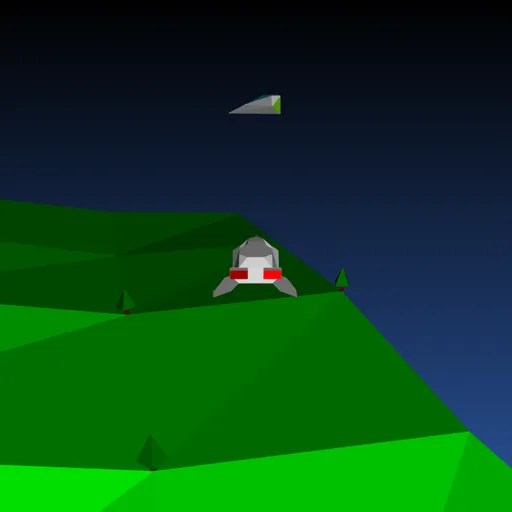
Backspace: Return to Figadore is a small 3D flight game with a kind twist. A sickness is spreading through a fleet of alien ships, and your missiles carry the cure. You fly Jade’s starship low over rolling green hills, all drawn with crisp vector lines. Jasper Renow-Clarke built it for the 2019 js13k contest, theme “Back,” with a homemade 3D engine that renders each frame as SVG. It is short, odd and charming.
The Goal
Each level opens with a group of alien ships, and half of them are infected and shown in red. Heal every red ship by hitting it with a cure missile, and the level is done. Clear all five levels to save the planet. If the whole fleet turns red, the mission fails and you start over from level 1.
How a Round Plays Out
Press any key on the title screen to begin. Your ship always moves forward. Up adds speed, Down slows you and lets you drift back, and Left or Right turn you with a bank. Moving the mouse sideways slides the ship without changing your heading.
For the first few seconds, the sickness stays put. After that, a red ship that gets close to a gray one infects it. Healthy ships try to flee, but they do not always escape.
Press Space or Enter to launch a spinning missile straight ahead. Up to five can be in the air, and each one fades after about three seconds. When one passes near a red ship, the ship turns gray and you gain a point. A bar on the right shows how much of the fleet is sick.
Keys and Buttons for Backspace: Return to Figadore
| What you do | ⌨ Keyboard | 🖱 Mouse |
|---|---|---|
| Start the game, or return to the title after it ends | Any key (Space or Enter) | — |
| Turn left or right | Left/Right arrows, A/D or Z/X | — |
| Speed up | Up arrow, W or ; | — |
| Slow down and drift back | Down arrow, S or . | — |
| Fire a cure missile | Space or Enter | — |
| Slide sideways | — | Move the mouse left or right |
Winning Strategies
- Use the opening calm. Nothing spreads right at the start, so heal the closest red ships while you can.
- Break up crowds. A red ship sitting among gray ones can infect several at once, so treat it first.
- Line up with the mouse. Slide sideways to put a target in front of you without turning away.
- Do not spam missiles. Only five fly at once, and there is a short delay between shots.
- Read the side bar. When the red part grows fast, stop roaming and work on the nearest targets.
Common Mistakes
- Chasing a far ship while red ones nearby keep spreading.
- Flying too fast to turn in time, then circling past the target.
- Forgetting that later levels shrink the cure radius, so near misses no longer count.
Who Should Play It
This fits players who like short arcade flying games with a gentle idea behind them. If you enjoy retro vector shooters or tiny contest games that pack a lot into a small file, give it a few runs.
Played and checked by the KBHX Games team · updated