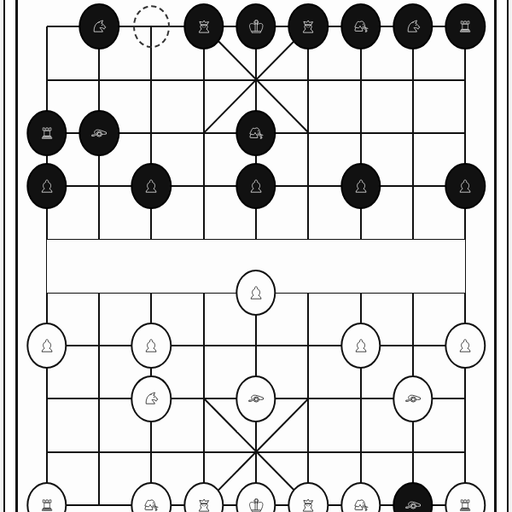
Chess vs Computer is a browser chess game where you play White against a small JavaScript engine. You move, the engine thinks for a moment, and Black replies. What makes it stand out is how much it shows you. After each move you see how many positions it checked, how long it took and who is ahead on a live bar.
The Goal
The aim is standard chess: checkmate the enemy king. You always take White and move first. Before you start, you can set how deep the engine searches, from 1 to 5 half-moves, with 3 as the default. You can also load a known opening, like the Italian Game, Ruy Lopez or Sicilian Defense, instead of the normal start.
How a Round Plays Out
Drag one of your pieces to a legal square and let go. If the move is not allowed, the piece snaps back. With a mouse, you can hover over a piece to see its legal squares shaded in gray.
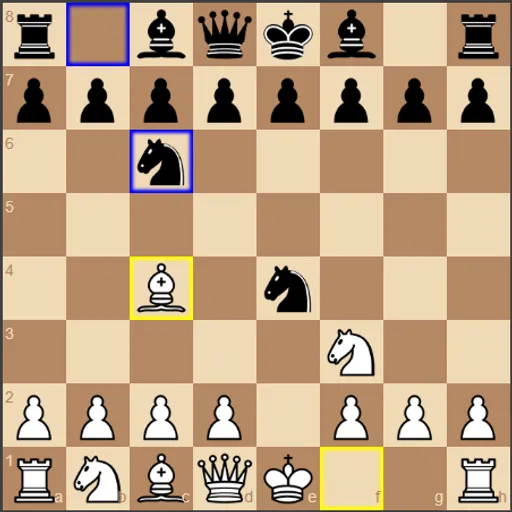
The engine then answers as Black. Your last move gets a yellow outline, and its reply gets a blue one. The engine uses a minimax search with alpha-beta pruning, and it judges positions by piece values and where each piece stands.
A status line reports check and tells you how the game ended: checkmate, stalemate, threefold repetition, the 50-move rule or too little material to mate. Undo takes back your move and the reply together, and Redo plays them forward again.
Keys and Buttons for Chess vs Computer
| What you do | 🖱 Mouse | 👆 Touch |
|---|---|---|
| Move a piece | Drag the piece to its new square | Drag the piece to its new square |
| Preview legal moves | Hover over one of your pieces | — |
| Take back your last move and the reply | Click "Undo" | Tap "Undo" |
| Replay moves you took back | Click "Redo" | Tap "Redo" |
| Change engine depth or turn on hints | Open "Settings" and pick a value or tick the box | Open "Settings" and pick a value or tick the box |
| Load an opening or restart | Open "Opening Positions" and click a button | Open "Opening Positions" and tap a button |
Winning Strategies
- Climb one depth at a time. Win a few games at a low depth before moving up. Each level is slower but sharper.
- Read the advantage number. It is the engine’s own score. A sudden swing after your move usually means you left a piece unguarded.
- Ask for a hint, then think. Turn on the suggested move in Settings and check whether you agree before playing it.
- Study an opening line. Load one of the opening buttons and play the middle game from there several times.
- Learn with Undo. Step back from a mistake, try another plan and see how the bar reacts.
- Watch for stalemate when promoting. Pawns always become queens here, so check that the enemy king still has a move.
Handy Details
- On a narrow phone screen the menus stack above the board, so you need to scroll down inside the game frame to reach it.
- Higher depths can make the page pause while the engine thinks.
- The red outline shows the engine’s suggested move for White when hints are on.
Who Should Play It
This suits chess learners who want a patient opponent they can tune, and curious players who like seeing how a chess program thinks. If you enjoy other turn-based board games or puzzle-style strategy, it is an easy way to practice.
Played and checked by the KBHX Games team · updated