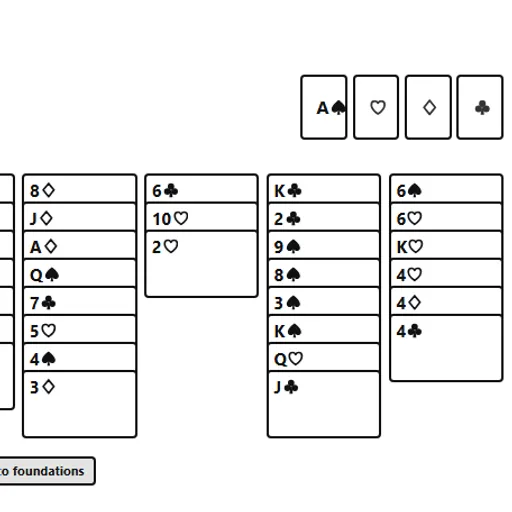
FreeCell Solitaire is the card game for people who want skill to matter more than luck. The full deck is dealt face up at the start, so nothing is hidden. That means almost every deal can be won if you think a few moves ahead, which makes each loss feel like a lesson instead of bad luck.
What Is FreeCell Solitaire?
Your goal is to move all 52 cards onto four foundation piles, one per suit, from Ace up to King. The cards start in eight columns, with seven cards in the first four columns and six in the rest. Above them sit four free cells, each able to hold one card. This version comes from Christopher Müller’s PaperGames collection.
Rules Explained
- Inside the columns, build downward in alternating colors. A black 8 can sit on a red 9.
- Any card can be parked in an empty free cell, then played back later.
- Any card or legal run can go into an empty column.
- Runs move as one unit only if you have enough open cells and columns to make the move in steps.
- Foundations take cards in suit order, starting with the Ace.
- The collect button sends every card that fits to the foundations, then keeps going while new ones become free.
Keys and Buttons for FreeCell Solitaire
| What you do | ⌨ Keyboard | 🖱 Mouse | 👆 Touch |
|---|---|---|---|
| Select a card, run or free-cell card | Tab to the card, then Enter or Space | Click the card | Tap the card |
| Move the selection | Tab to the target, then Enter | Click a column, an empty free cell or the matching foundation | Tap a column, an empty free cell or the matching foundation |
| Send every playable card home | — | Click "Collect to foundations" | Tap "Collect to foundations" |
| Undo | — | Click "Undo" | Tap "Undo" |
| Start a new deal | — | Click "New game" (under "Menu" if hidden) | Tap "New game" (under "Menu" if hidden) |
Winning Strategies
- Treat free cells as precious. Each filled cell cuts your moving power, so use them briefly.
- Empty a column early. A blank column is worth more than a free cell when moving runs.
- Dig for Aces and Twos first. Getting low cards home opens space for everything else.
- Plan several moves before acting. Since all cards are visible, you can map a whole sequence.
- Avoid sending cards home too fast. A low card on a foundation may be needed to hold a lower card of the other color.
Handy Details
- Your current layout and move count are saved in your browser on this device.
- Deals are random shuffles, so a solution is not promised, though nearly every deal can be solved.
- The keyboard works too: Tab to a card and press Enter.
Who Should Play It
FreeCell Solitaire fits patient players who enjoy planning and calm, one-person puzzles. If you like classic patience games or logic puzzles with clear rules, this one rewards careful thought.
Played and checked by the KBHX Games team · updated