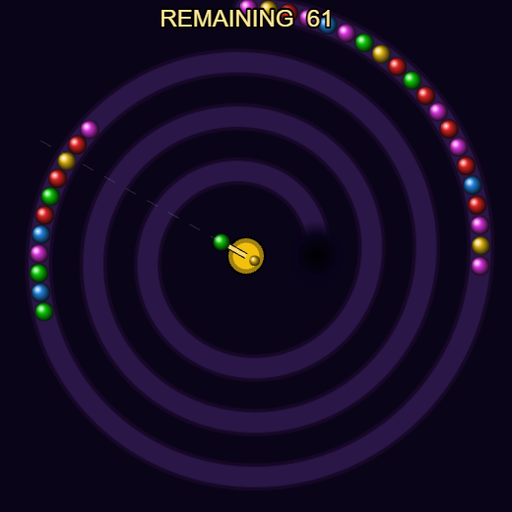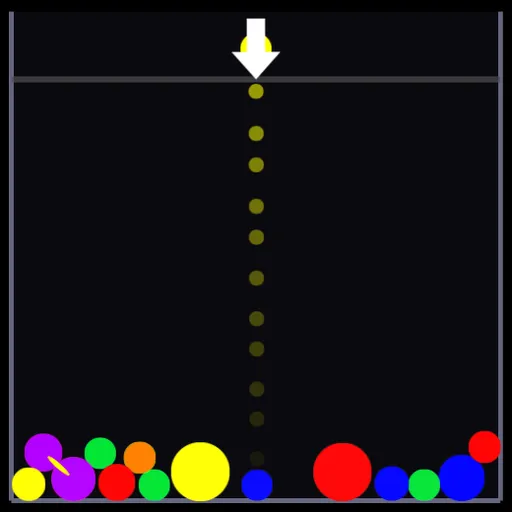
Complements is a physics puzzle about opposite colors. Round gems tumble into a tall well and settle into a pile, and you add more from a launcher at the top. Gems of the same color cling together, and when a color touches its opposite, the whole linked group shatters. Frank Force rebuilt it with his LittleJS engine for the open-source LittleJS Arcade, based on an earlier C++ version.
The Goal
Clear every gem out of the well as fast as you can. A gray line near the top marks the danger zone, and it slowly creeps downward. If a gem sits above it too long, a warning bar fills and the run ends. Difficulty sets the starting pile: 20 gems on EASY, 40 on MEDIUM, 60 on HARD and 80 on INSANE.
How a Round Plays Out
- Aim the launcher. A dotted line previews the path of the loaded gem.
- Hold to charge. The gem swells and shrinks while you hold, so release at the size you want.
- Let go to fire. Large gems shove the pile harder, while small ones slip into tight gaps.
- When a gem lands, it bonds with any touching gem of the same color.
- If a group touches its complement, both sides break apart in a chain.
Special gems change things. Clear gems take on the color they touch and spread it. White gems break whatever they meet. Black gems block until a break reaches them. Big chains also charge a shake meter that jolts the whole pile.
Keys and Buttons for Complements
| What you do | ⌨ Keyboard | 🖱 Mouse | 👆 Touch |
|---|---|---|---|
| Aim the launcher | Left and Right arrows (turn off MOUSE AIM in OPTIONS) | Move the pointer | Drag a finger |
| Grow and fire a gem | Hold Space or Down arrow, release to fire | Hold the left button, release to fire | Hold, then lift your finger |
| Shake the pile | Up arrow or W | Right click | — |
| Pause | Esc | — | — |
Winning Strategies
- Grow a cluster before you pop it. A break runs through every bonded gem, so one large group clears in a single shot.
- Spend clear gems on big groups. A clear gem can bridge a large cluster straight to its opposite color.
- Pick the size on purpose. Small gems for precise drops, big ones to push the pile around.
- Shake when the stack gets tall. Spreading the pile lowers its peak and buys you time below the line.
- Plan one gem ahead. Place the current gem so the next one has a useful target.
Handy Details
- Options let you turn off the trajectory line, screen shake and mouse aim, and change the volume.
- You can aim with the arrow keys instead of the mouse.
- On phones, touch works, but the right-click shake has no tap equivalent.
Who Should Play It
This is for puzzle players who enjoy messy, physics-driven piles where every shot nudges everything else. If you like bubble shooters or color-matching puzzles with a bit of chaos, Complements gives that formula a smart twist.
Played and checked by the KBHX Games team · updated