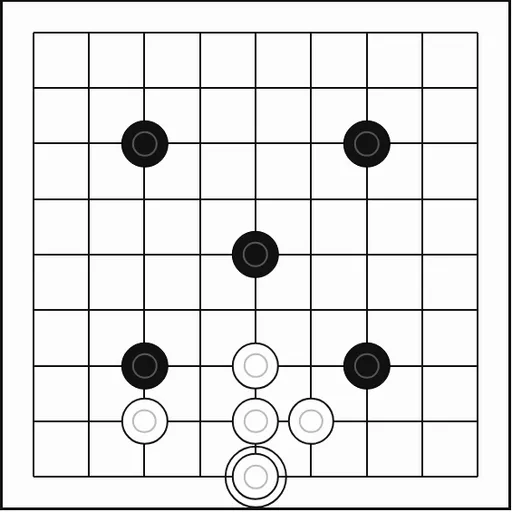
Go is the ancient board game of surrounding space, played for thousands of years across East Asia. The rules fit on one card, yet the game holds more depth than you can explore in a lifetime. This version lets you start small and grow into the full board at your own pace.
The Goal
Two players take turns placing black and white stones on the crossing points of a grid. At the end, each side counts its stones plus the empty points it alone surrounds. The higher total wins. White also gets 7.5 bonus points for moving second. This Go comes from Christopher Müller’s PaperGames collection.
Rules Explained
- Black plays first. Each turn, place one stone on any empty point. Stones never move after that.
- Connected stones form a group. The empty points next to a group are its liberties.
- Fill the last liberty of an enemy group and the whole group is captured and removed.
- You cannot play a stone that leaves your own group with no liberties unless it captures something.
- You cannot repeat an earlier board position, which stops endless back-and-forth captures.
- When both players pass in a row, the game is scored.
Keys and Buttons for Go
| What you do | ⌨ Keyboard | 🖱 Mouse | 👆 Touch |
|---|---|---|---|
| Place a stone | Tab to the board, arrow keys to pick an intersection, Enter to place | Click an empty intersection | Tap an empty intersection |
| Pass your turn | — | Click "Pass" | Tap "Pass" |
| Choose board size, color and opponent | — | Use the size menu, the black/white buttons and the level menu, then click "New game" | Use the size menu, the black/white buttons and the level menu, then tap "New game" |
| Take back a move | — | Click "Undo" | Tap "Undo" |
| Give up the game | — | Click "Resign" | Tap "Resign" |
Winning Strategies
- Begin in the corners. Corners need fewer stones to claim than the center.
- Keep groups connected. One strong group is safer than many small, weak ones.
- Give groups two eyes. A group with two separate empty points inside can never be captured.
- Answer threats calmly. Not every attack needs a reply. Sometimes playing elsewhere earns more.
- Clean up before passing. Capture dead enemy stones in your area, since this version scores every stone left.
Handy Details
- Three board sizes are offered: 9x9, 13x13 and 19x19.
- You can play Black or White against three computer levels, or play a friend on one screen.
- Undo and Resign are always available, and a capture count tracks both colors.
Who Should Play It
Go suits patient strategy fans who like games that reward long-term planning. If you enjoy classic abstract board games or territory battles, start on the small board and work your way up.
Played and checked by the KBHX Games team · updated