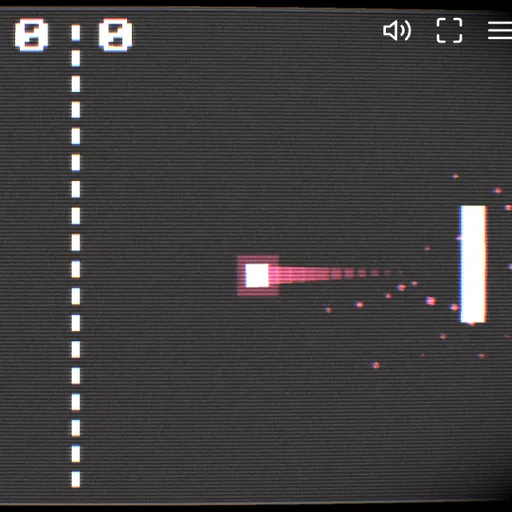
Paddle Duel is a two-paddle table tennis game played against the computer on a dark, glowing court. You control the left paddle, the computer controls the right, and the first to 10 points wins. Every return speeds the ball up, so calm rallies can turn wild in seconds. It is part of Frank Force’s open-source LittleJS Arcade, and its sparks, color flashes and curved-screen glow make each hit feel solid.
The Goal
Score 10 points before the computer does. You earn a point whenever the ball slips past the rival paddle and leaves the court on its side.
How a Round Plays Out
Press Play, then serve with Space, a click or a tap. The ball waits in the middle with arrow dots showing its direction and always heads toward whoever lost the last point.
The ball bounces off the top and bottom walls. Where it meets your paddle sets its new angle: a center hit returns it nearly flat, while an edge hit sends it off steeply. If your paddle is moving at contact, the ball picks up spin and curves.
The computer moves a bit slower than you can, chooses its aim once per volley with a small random error and only sometimes reads your curve. When either side reaches 10, the winner shows and one more press starts a new match. The title screen runs a computer-versus-computer demo behind the menu.
Keys and Buttons for Paddle Duel
| What you do | ⌨ Keyboard | 🖱 Mouse | 👆 Touch |
|---|---|---|---|
| Move your paddle (left side) | Up and down arrows, or W and S | Move the pointer up or down | Drag a finger up or down |
| Serve the ball | Space | Click | Tap the screen |
| Reset the score to 0-0 | R | — | — |
| Pause, restart or quit | Escape | Click the menu icon in the top corner | Tap the menu icon in the top corner |
Winning Strategies
- Hit with the paddle ends. Steep angles bounce off the walls and are harder for the computer to follow.
- Swing through contact. A moving paddle adds curve that can fool the rival’s guess.
- Make the computer travel. You are faster than it, so wide shots to the far side pay off.
- Recenter after each return. Drifting back to the middle keeps both walls in reach.
- Keep moves small at top speed. When the court glows red, wait for the ball rather than chasing it.
Handy Details
- The game runs only in landscape, so turn your phone sideways first.
- On touch screens, drag a finger up and down to move and tap to serve.
- Arrow keys or W and S move the paddle on a keyboard.
Who Should Play It
Paddle Duel is great for anyone who wants quick, simple matches with a skill curve. If you enjoy retro sports arcade games or reflex-based duels, it is easy to start and hard to put down.
Played and checked by the KBHX Games team · updated