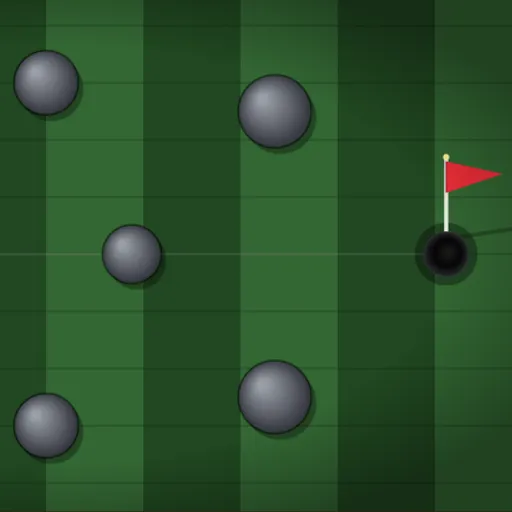
Mini Putt Park is a compact top-down mini golf course with nine holes, each built around its own idea. One green is crowded with round stone bumpers, one bends around an L-shaped wall, and the finale makes you time a putt past a gate that slides up and down. Frank Force built it with the LittleJS engine and Box2D physics, so the ball rolls and rebounds in a natural way.
The Goal
Sink the ball on every hole in as few strokes as possible. The top of the screen shows the hole number, your strokes on that hole and your running total for the round.
How a Round Plays Out
The game opens on a course map with small live previews of all nine holes. Click one to start there.
To putt, press on the ball and drag the way you want it to go. An arrow grows as you pull, and a power readout shows the strength. Let go to strike. While the ball sits still, a faint line points at the cup to help you aim.
Wooden planks, stones and outer walls all bounce the ball. When it drops in, SUNK appears and the next hole loads. After hole 9, play loops back to hole 1. Press R to replay a hole or N to skip ahead. Replaying puts the ball back on the tee and resets that hole’s count, but strokes already taken stay in your total.
Keys and Buttons for Mini Putt Park
| What you do | ⌨ Keyboard | 🖱 Mouse | 👆 Touch |
|---|---|---|---|
| Pick a hole on the course map | Number keys 1 to 9 | Click a hole preview | Tap a hole preview |
| Aim and set power | — | Press on the ball and drag toward where it should go; drag farther for more power | Touch the ball and drag toward your target |
| Putt | — | Release the button | Lift your finger |
| Replay the current hole | R | — | — |
| Skip to the next hole | N | — | — |
| Back to the course map | Esc | Click the menu icon (top right) | Tap the menu icon (top right) |
Winning Strategies
- Use the walls. The frame is bouncy, so a bank shot can curve around planks that block the straight line.
- Thread the bumper field gently. A medium putt through a gap is far easier to control than a hard shot pinballing around.
- Leave it close. On long holes, aim to stop near the cup rather than forcing it in from distance.
- Read the angled boards. On the U-shaped green, the slanted boards on the right send the ball back toward the cup.
- Study the gate. On hole 9, watch the striped blocker for a cycle or two before timing your putt.
Handy Details
- Picking a hole from the course map starts a fresh total.
- Number keys 1 to 9 jump to a hole on a keyboard.
- The ball leaves a short trail, which helps you judge speed for the next try.
Who Should Play It
It suits casual players who want a calm, skill-based game they can finish in a short break. If you like physics puzzles or relaxed sports games, these nine greens are a pleasant challenge.
Played and checked by the KBHX Games team · updated