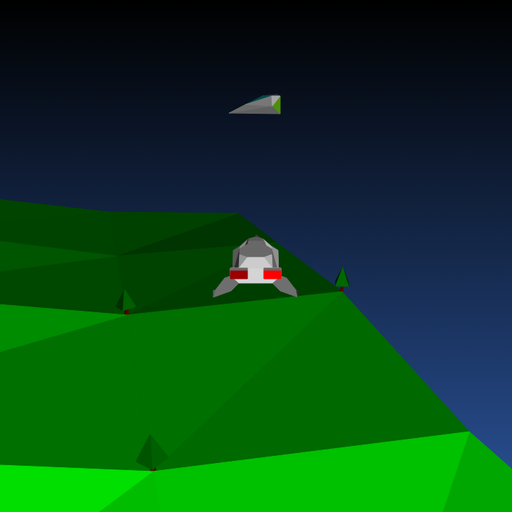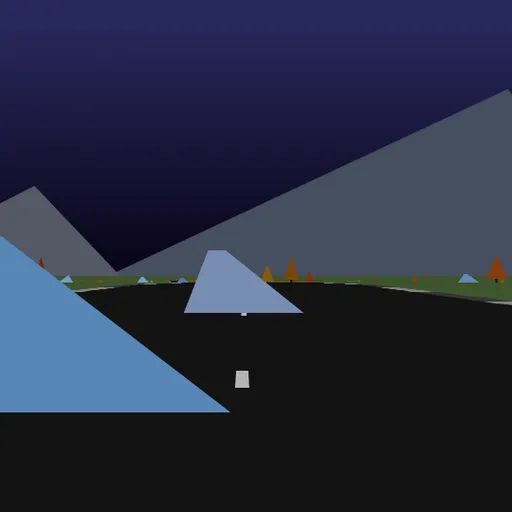
Hue Jumper is a low-poly 3D driving game where the only rival is the clock. A random road rolls out over hills, and your car picks up speed by itself while you steer. Rocks and trees line the way, and a quick double-click sends you leaping over them. Frank Force first built it to fit in just 2 kilobytes, and this is his larger, readable version.
The Goal
Reach the end of the road before time runs out. The road ends at 1000 on the distance counter, and it gets narrower and twistier the closer you get. Checkpoints along the way add time to keep you going.
How a Round Plays Out
- Click the screen to start. The timer begins at 20 seconds.
- The car speeds up whenever its wheels are on the road and you are not braking.
- Move the mouse left or right to steer. Curves pull you toward the outside, so lean into each bend.
- Hold the mouse button to brake.
- Double-click to jump over obstacles.
- Every 100 units, cross a checkpoint for 10 more seconds, up to a 20 second maximum.
- When the clock hits zero, the run ends.
Keys and Buttons for Hue Jumper
| What you do | ⌨ Keyboard | 🖱 Mouse | 👆 Touch |
|---|---|---|---|
| Start driving | — | Click the game screen | Touch the screen |
| Steer | — | Move the mouse left or right | Hold a finger on the side you want to steer toward |
| Brake | — | Hold the mouse button | Lift your finger |
| Jump | — | Double-click | Tap quickly |
| Restart on a new road | R | — | — |
| Save a screenshot | 1 | — | — |
Winning Strategies
- Stay on the ground. Speed only builds when your wheels touch the road.
- Brake briefly on tight curves. A short tap keeps you on track better than flying off.
- Steer early. Start turning before the bend, not inside it.
- Jump only when needed. Steering around obstacles is usually faster.
- Do not count on saving time. The clock caps at 20 seconds, so keep a steady pace.
Handy Details
- If the mouse cursor gets released, the car brakes on its own. Click the game again to continue.
- Touch steering works by holding a finger on one side, but there is no restart button without a keyboard.
- Press 1 to save a screenshot of the scene.
Who Should Play It
This game is ideal for players who enjoy relaxing, stylish driving games with a time challenge. If you like endless road racers or arcade checkpoint runs, the shifting colors make each trip a treat.
Played and checked by the KBHX Games team · updated